> ## Documentation Index
> Fetch the complete documentation index at: https://germeytechnology-docs-remove-4o-image-nav.mintlify.site/llms.txt
> Use this file to discover all available pages before exploring further.
# OpenAI Images Generations API 申請及使用
> OpenAI generation 集成指南 - Ace Data Cloud
OpenAI Images Generations API 目前支援多種圖像生成模型,包括經典的 `dall-e-3`、文字渲染能力更強的 `gpt-image-1`、最新一代的 **`gpt-image-2`**,以及透過同一介面接入的 **`nano-banana` / `nano-banana-2` / `nano-banana-pro`** 系列模型。它們都能根據文本描述生成高品質的圖像。
本文檔主要介紹 OpenAI Images Generations API 操作的使用流程,利用它我們可以輕鬆使用 OpenAI 系列的圖像生成功能。
## 申請流程
要使用 OpenAI Images Generations API,首先可以到 [OpenAI Images Generations API](https://platform.acedata.cloud/documents/openai-images-generations) 頁面點擊「Acquire」按鈕,獲取請求所需要的憑證:

如果你尚未登入或註冊,會自動跳轉到登入頁面邀請您來註冊和登入,登入註冊之後會自動返回當前頁面。
在首次申請時會有免費額度贈送,可以免費使用該 API。
## GPT-Image-2 模型
`gpt-image-2` 是 OpenAI 推出的新一代圖像生成模型,相比 `dall-e-3` 和 `gpt-image-1`,在以下方面有明顯提升:
* **指令遵循能力更強**:能夠準確理解複雜構圖、計數、位置關係等結構化指令。
* **文字渲染更清晰**:海報、菜單、資訊圖、標誌等場景下的英文與數字幾乎不會出現錯亂。
* **風格表現更豐富**:原生支援電影感人像、復古海報、兒童插畫、產品攝影、資訊圖等多種風格。
* **原生多比例 + 高解析度支援**:覆蓋 5 種比例(1:1、4:3、3:4、16:9、9:16)共 3 檔解析度(1K / 2K / 4K)。
呼叫方式與其它模型完全一致,只需將 `model` 欄位設定為 `gpt-image-2` 即可。返回結果中的 `url` 是一個永久托管在 `platform.cdn.acedata.cloud` 上的圖片連結,可以直接在瀏覽器中開啟或嵌入到網頁中。
### 支援的 `size` 取值
`gpt-image-2` 只檢查 `size` 的格式,只要不是 `auto` 或空字串,就需要匹配 `WIDTHxHEIGHT`(例如 `1024x1024`、`2048x1152`、`800x600`);任何其他形態會返回 400。**所有尺寸(1K / 2K / 4K / 自訂)按單張統一扣費,不按尺寸加價。**
上游對自訂尺寸的硬約束:寬高均為 16 的倍數、長邊 ≤ 3840、總像素數 ≤ 8,294,400。超出範圍會被上游拒絕並以 4xx 返回。
| 比例 | 1K 推薦 | 2K 推薦 | 4K 推薦 |
| ---- | ----------- | ----------- | ----------- |
| 1:1 | `1024x1024` | `2048x2048` | `2880x2880` |
| 4:3 | `1536x1024` | `2048x1536` | `3264x2448` |
| 3:4 | `1024x1536` | `1536x2048` | `2448x3264` |
| 16:9 | `1792x1024` | `2048x1152` | `3840x2160` |
| 9:16 | `1024x1792` | `1152x2048` | `2160x3840` |
> 你也可以傳 `size: "auto"` 或者**省略 `size` 欄位**,此時由模型自行選擇預設尺寸。
>
> 1K 檔下上游輸出不保證嚴格像素對齊——你傳 `1024x1024` 可能拿到 `1254x1254`,比例保持一致。如果你重新把它當作 `size` 傳進來,計費不變。
>
> 4K 單次呼叫通常需要 4–8 分鐘,建議配合後文的 `callback_url` 非同步回調使用。
> **關於 `n` 參數**
>
> `gpt-image-2` 目前**不支援 `n > 1`**:該參數會被靜默忽略,無論傳 `n=1` 還是 `n=10`,單次請求都只會返回 1 張圖,並且只按 1 張計費。如果你需要一次拿到多張候選圖,請**自行並發發起多次請求**(建議同時傳不同的 `prompt` 或不同的 `seed`,否則得到的幾張圖可能高度相似)。該限制同樣適用於 `gpt-image-1` / `gpt-image-1.5`,以及 `nano-banana` / `nano-banana-2` / `nano-banana-pro` 系列。`dall-e-2` 是目前唯一原生支援 `n > 1` 的模型;`dall-e-3` 僅支援 `n = 1`。
下面透過幾個不同角度的真實範例來直觀感受 `gpt-image-2` 的能力。
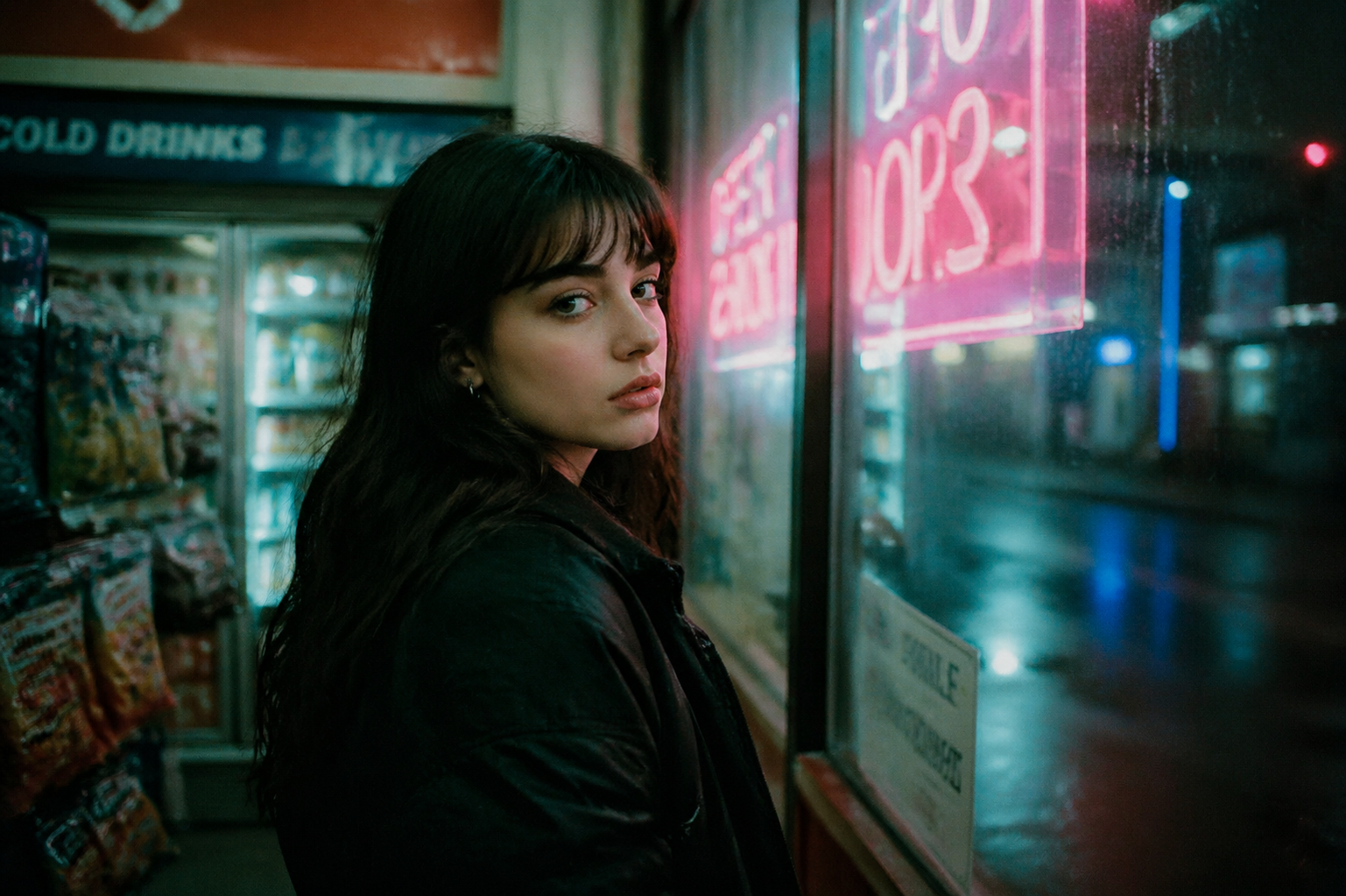
### 場景一:電影感人像
提示詞中可以使用電影術語(35mm 膠片、淺景深、霓虹光等)來精準控制氛圍與質感。
Python 範例呼叫程式碼:
```python theme={null}
import requests
url = "https://api.acedata.cloud/openai/images/generations"
headers = {
"accept": "application/json",
"authorization": "Bearer {token}",
"content-type": "application/json"
}
payload = {
"model": "gpt-image-2",
"prompt": "A cinematic portrait of a young woman standing in a convenience store at night, illuminated by soft pink and cyan neon signs through the window. Shot on 35mm film, shallow depth of field, slight grain, melancholic mood.",
"size": "1024x1536"
}
response = requests.post(url, json=payload, headers=headers)
print(response.text)
```
返回結果如下:
```json theme={null}
{
"success": true,
"task_id": "ab58a5df-6f46-4874-bff6-93169e2849a3",
"created": 1777048800,
"data": [
{
"revised_prompt": "A cinematic portrait of a young woman standing in a convenience store at night, illuminated by soft pink and cyan neon signs through the window. Shot on 35mm film, shallow depth of field, slight grain, melancholic mood.",
"url": "https://platform.cdn.acedata.cloud/gpt-image/ab58a5df-6f46-4874-bff6-93169e2849a3_0.png"
}
]
}
```
生成的圖片如下所示:
### 場景二:復古旅行海報(帶文字渲染)
`gpt-image-2` 在排版與字體渲染方面表現穩定,非常適合用來生成海報、菜單、賀卡等帶文字的設計稿。
```python theme={null}
payload = {
"model": "gpt-image-2",
"prompt": "A vintage travel poster of the Amalfi Coast, Italy. Stylized art-deco illustration of cliffside lemon-yellow houses cascading down to a turquoise sea, with a small white sailboat in the harbor. Bold typography at the top reads AMALFI and at the bottom ITALIA 1958. Limited color palette: cream, sea-blue, lemon yellow, terracotta. Slight paper-grain texture.",
"size": "1024x1536"
}
```
返回結果中的 `url` 欄位對應的圖片如下:
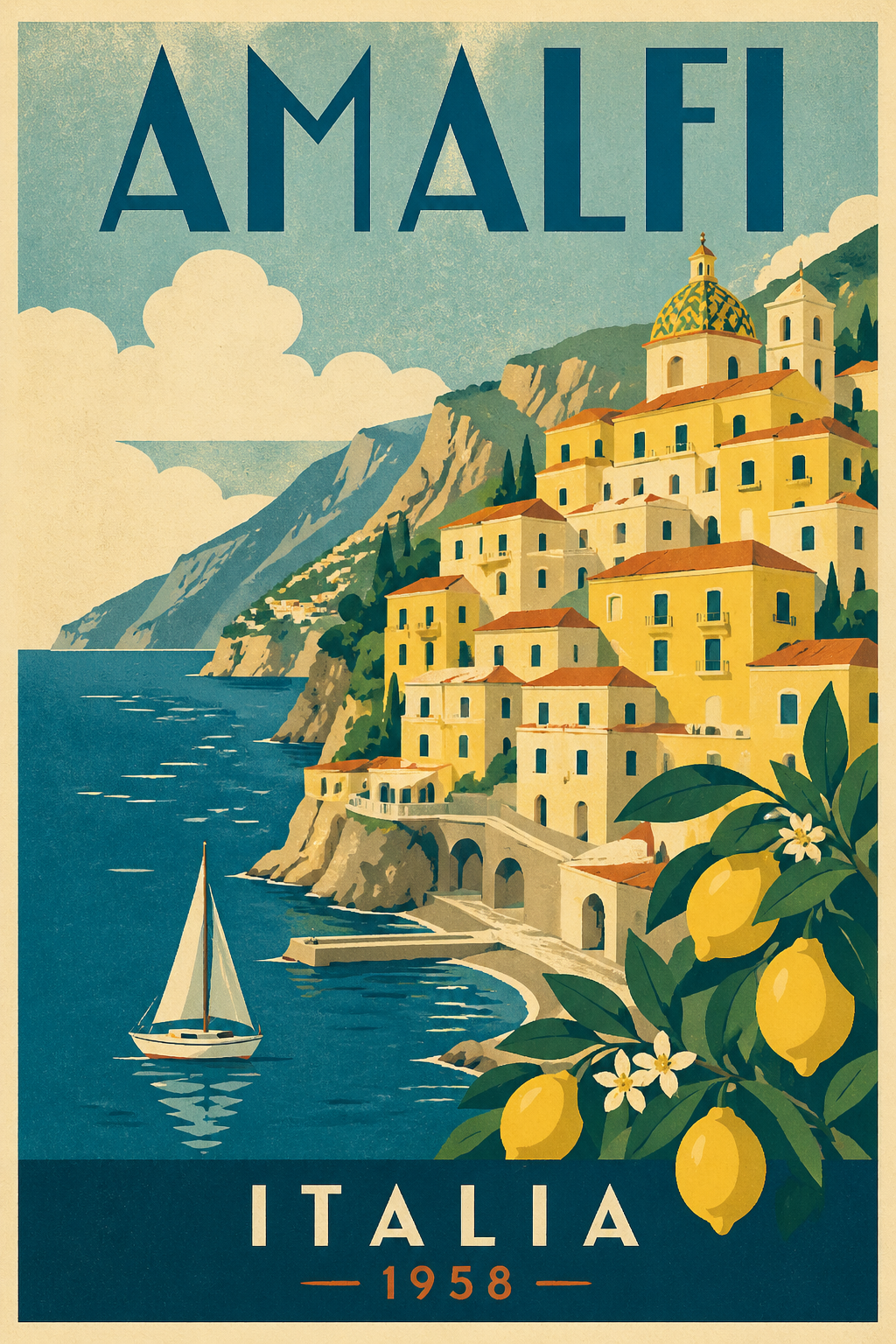
可以看到模型不僅準確還原了 Art Deco 海報的視覺風格,標題文字 `AMALFI` 與 `ITALIA 1958` 都被清晰、正確地渲染出來。
### 場景三:複雜構圖與計數
下面這個提示詞用來測試模型對「數量」和「位置」等結構化指令的遵循能力。
```python theme={null}
payload = {
"model": "gpt-image-2",
"prompt": "A wooden bookshelf consisting of three shelves: On the top shelf, there should be one book. On the second shelf, there should be three books. On the bottom shelf, there should be seven books. Soft warm lighting, photorealistic, cozy library atmosphere.",
"size": "1024x1024"
}
```
生成的圖片如下:

可以看到三層書架上的書本數量(1 / 3 / 7)與提示詞完全一致,這是 `dall-e-3` 時代很難穩定做到的。
### 場景四:插畫風格(橫屏)
透過指定藝術媒介與情緒關鍵詞,可以引導模型產出風格化的插畫。
```python theme={null}
payload = {
"model": "gpt-image-2",
"prompt": "A soft, poetic children's book illustration of a small fox reading a book under a glowing mushroom in a moonlit forest. Watercolor and pencil texture, gentle pastel colors, dreamy atmosphere, hand-drawn feel.",
"size": "1536x1024"
}
```
生成的橫屏插畫如下:

### 非同步與回調
`gpt-image-2` 單次呼叫通常需要 60~90 秒,如果不希望保持長連線,可以使用本文後續介紹的 `callback_url` 非同步回調機制,呼叫流程與其它模型完全一致。
## Nano Banana 系列模型
`nano-banana` 系列是基於 Gemini 的圖像生成模型,已透過同一個 `/openai/images/generations` 介面接入,無需切換 endpoint,只要把 `model` 改為下表中的任意一個即可。
| 模型 | 計費(Credits / 次) | 適用場景 |
| ----------------- | --------------- | ------------------ |
| `nano-banana` | 0.14 | 普通圖像生成,速度最快、成本最低 |
| `nano-banana-2` | 0.28 | 品質與細節明顯提升 |
| `nano-banana-pro` | 0.35 | 系列中的旗艦,構圖、細節、文字均最佳 |
> **重要:參數支援範圍**
>
> Nano Banana 透過適配層接入 OpenAI 協議,與 `gpt-image-*` 相比僅支援以下參數:`model`、`prompt`、`size`。
>
> * `size` 會按下表映射為內部 `aspect_ratio`,未列出的尺寸會退化為 `1:1`:
> * `1024x1024` / `512x512` / `256x256` → `1:1`
> * `1792x1024` → `16:9`
> * `1024x1792` → `9:16`
> * 不支援 `n`、`quality`、`style`、`response_format`、`background`、`output_format` 等參數;填了也會被忽略。
> * 返回結構遵循 OpenAI 格式(`data[].url`),但 `created` 固定為 `0`,且不會返回 `b64_json`,`revised_prompt` 始終等於原始 `prompt`。
### 基本呼叫
```python theme={null}
import requests
url = "https://api.acedata.cloud/openai/images/generations"
headers = {
"accept": "application/json",
"authorization": "Bearer {token}",
"content-type": "application/json"
}
payload = {
"model": "nano-banana",
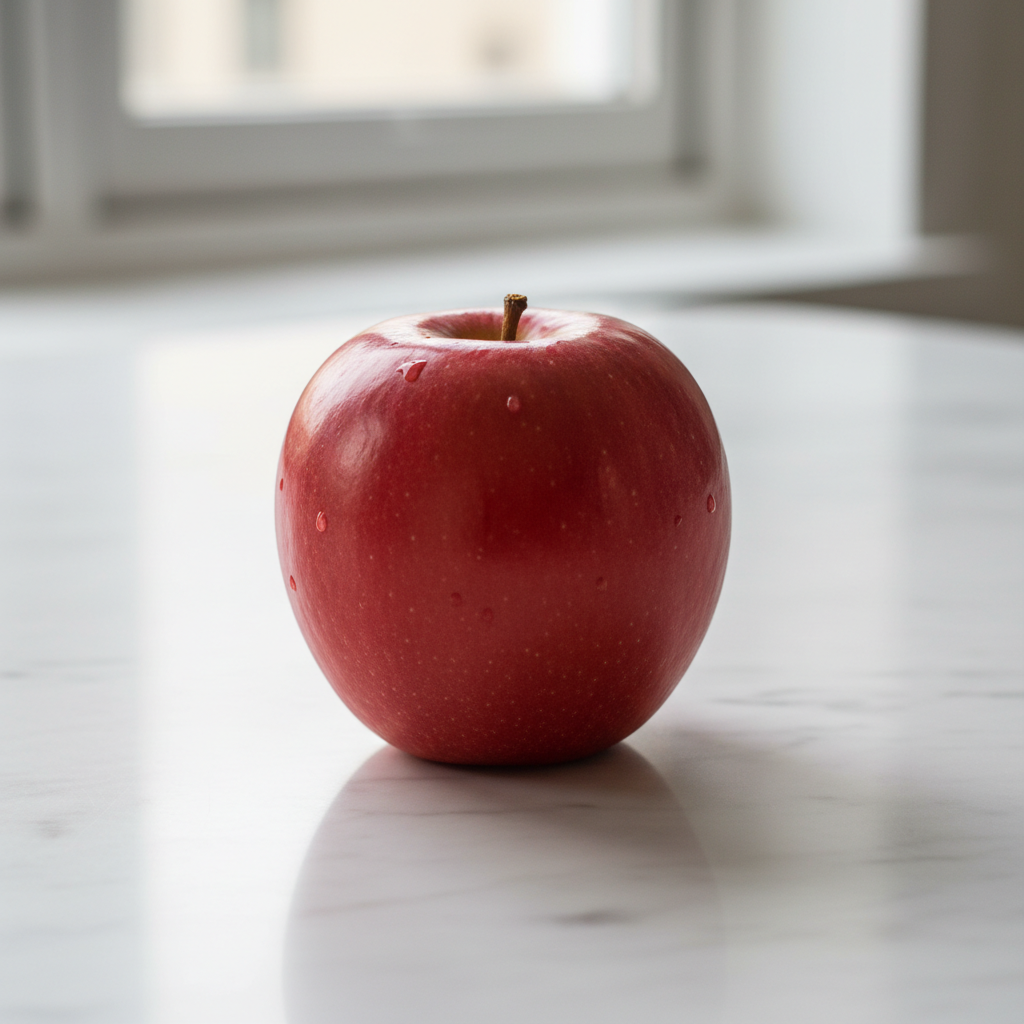
"prompt": "a small red apple on a white table, photoreal",
"size": "1024x1024"
}
response = requests.post(url, json=payload, headers=headers)
print(response.text)
```
返回結果如下:
```json theme={null}
{
"created": 0,
"data": [
{
"url": "https://platform.cdn.acedata.cloud/nanobanana/6870b330-65c4-436c-bb80-819fdae7a7a4.png",
"revised_prompt": "a small red apple on a white table, photoreal"
}
]
}
```
生成的圖片可以直接透過返回的 `url` 欄位訪問:
### 升級到旗艦模型 `nano-banana-pro`
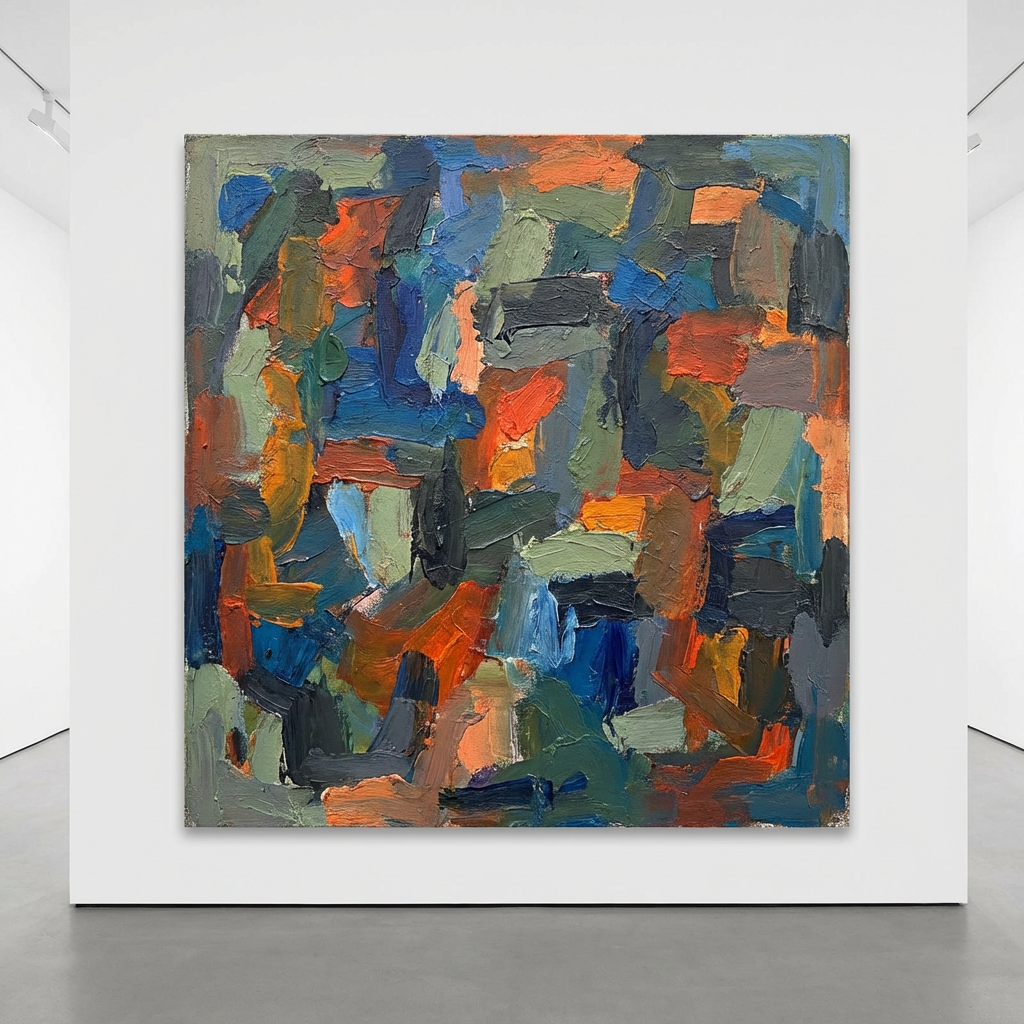
只需把 `model` 改為 `nano-banana-pro`,其餘參數完全一致:
```python theme={null}
payload = {
"model": "nano-banana-pro",
"prompt": "abstract painting",
"size": "1024x1024"
}
```
返回示例:
```json theme={null}
{
"created": 0,
"data": [
{
"url": "https://platform.cdn.acedata.cloud/nanobanana/6227fcc9-3442-4aa3-a76c-4a4441a99649.png",
"revised_prompt": "abstract painting"
}
]
}
```
### 非同步回調
`callback_url` 非同步回調機制對 nano-banana 同樣有效,呼叫流程與其它模型完全一致,詳見下文 [非同步回調](#非同步回調) 一節。
## 基本使用
接下來就可以在介面上填寫對應的內容,如圖所示:
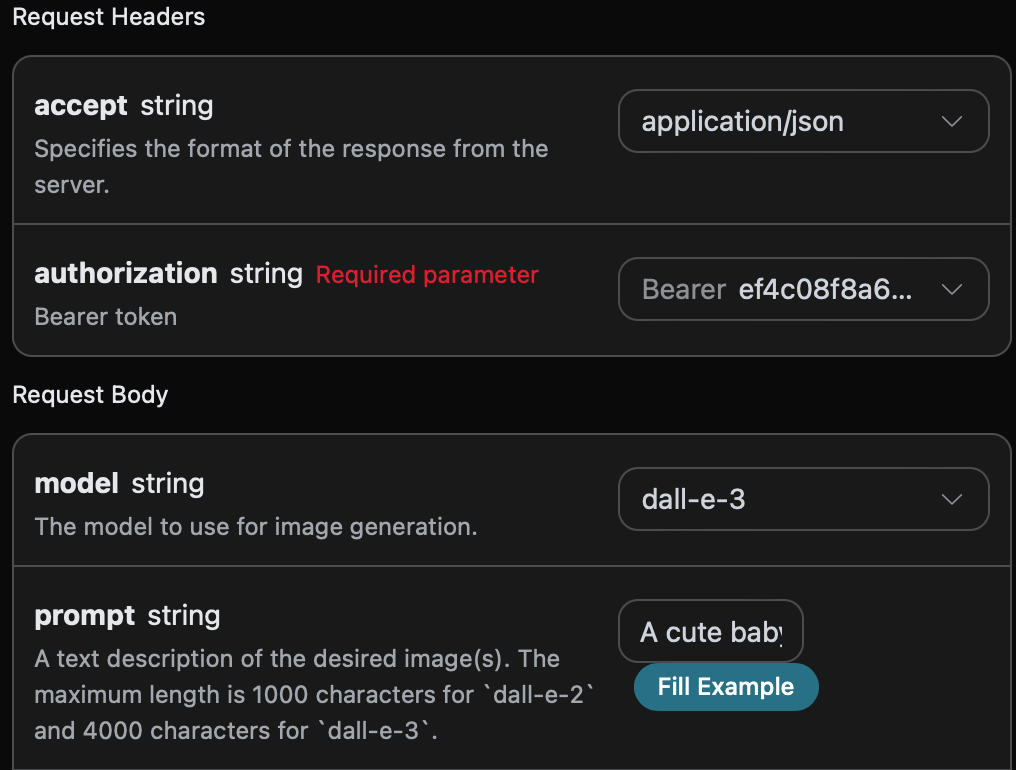
在第一次使用該介面時,我們至少需要填寫三個內容,一個是 `authorization`,直接在下拉列表裡面選擇即可。另一個參數是 `model`, `model` 就是我們選擇使用 OpenAI DALL-E 官網模型類別,這裡我們主要有 1 種模型,詳情可以看我們提供的模型。最後一個參數是`prompt`,`prompt` 是我們輸入要生成圖像的提示詞。
同時您可以注意到右側有對應的呼叫程式碼生成,您可以複製程式碼直接執行,也可以直接點擊「Try」按鈕進行測試。
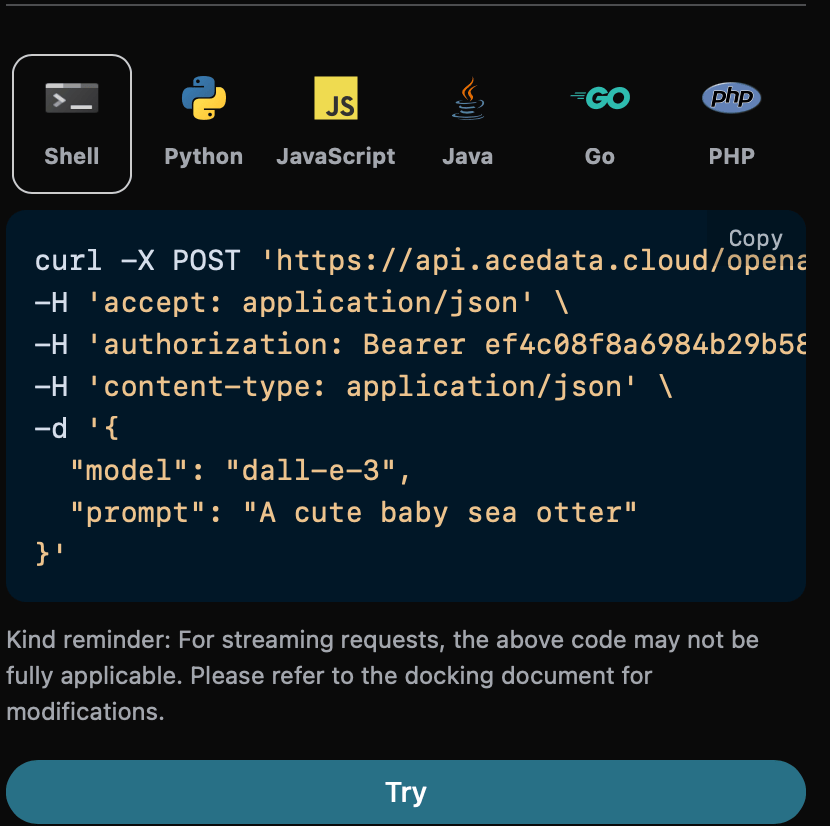
Python 範例呼叫程式碼:
```python theme={null}
import requests
url = "https://api.acedata.cloud/openai/images/generations"
headers = {
"accept": "application/json",
"authorization": "Bearer {token}",
"content-type": "application/json"
}
payload = {
"model": "dall-e-3",
"prompt": "A cute baby sea otter"
}
response = requests.post(url, json=payload, headers=headers)
print(response.text)
```
呼叫之後,我們發現返回結果如下:
```json theme={null}
{
"created": 1721626477,
"data": [
{
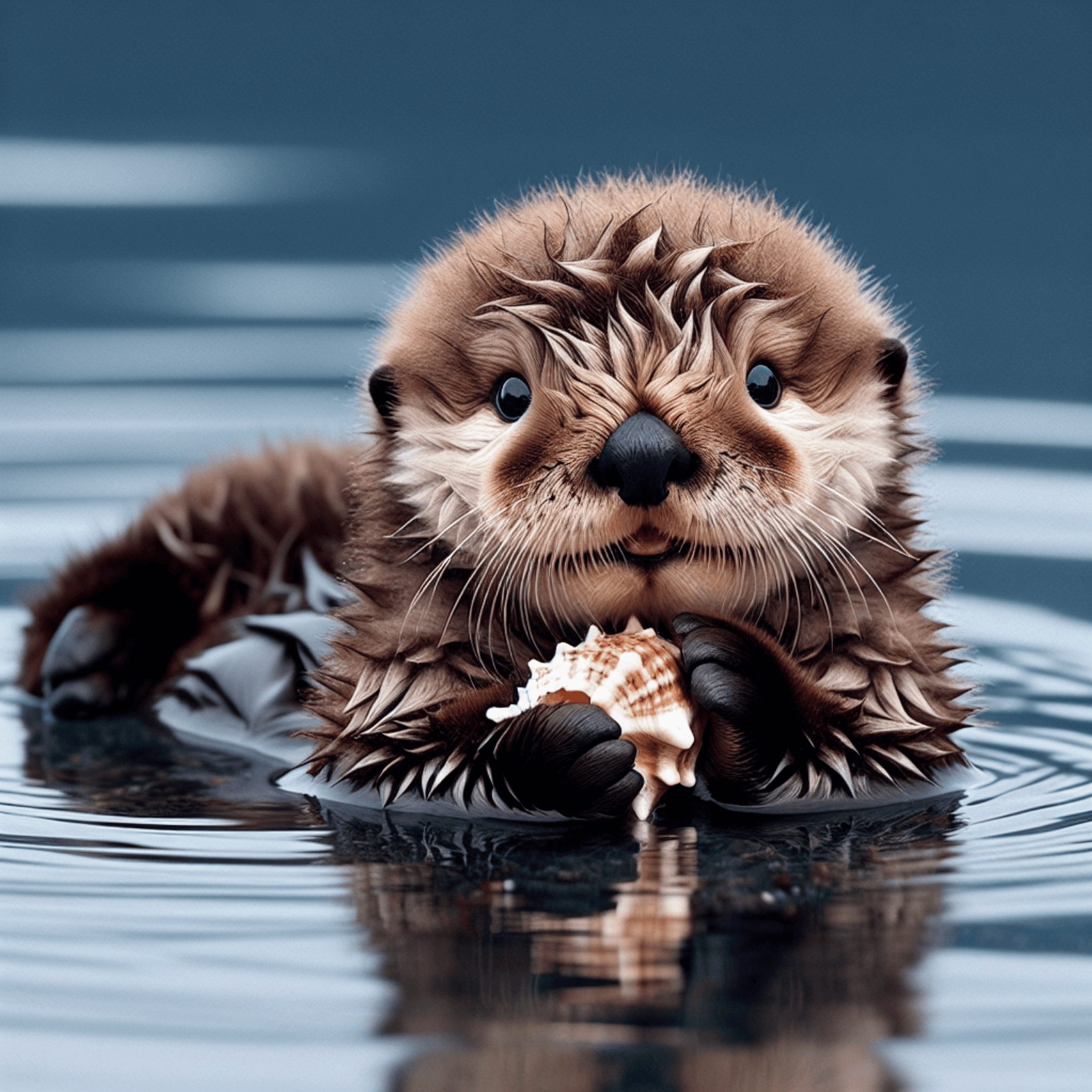
"revised_prompt": "A delightful image showcasing a young sea otter, who is born brown, with wide charming eyes. It is delightfully lying on its back, paddling in the calm sea waters. Its dense, velvety fur appears wet and shimmering, capturing the essence of its habitat. The small creature curiously plays with a sea shell with its small paws, looking absolutely innocent and charming in its natural environment.",
"url": "https://dalleprodsec.blob.core.windows.net/private/images/5d98aa7c-80c6-4523-b571-fc606ad455b9/generated_00.png?se=2024-07-23T05%3A34%3A48Z&sig=GAz%2Bi3%2BkHOQwAMhxcv22tBM%2FaexrxPgT9V0DbNrL4ik%3D&ske=2024-07-23T08%3A41%3A10Z&skoid=e52d5ed7-0657-4f62-bc12-7e5dbb260a96&sks=b&skt=2024-07-16T08%3A41%3A10Z&sktid=33e01921-4d64-4f8c-a055-5bdaffd5e33d&skv=2020-10-02&sp=r&spr=https&sr=b&sv=2020-10-02"
}
]
}
```
返回結果一共有多個欄位,介紹如下:
* `created `,生成此次圖像生成的 ID,用於唯一標識此次任務。
* `data`,包含圖像生成的結果資訊。
其中 `data` 是包含了模型生成圖片的具體資訊,它裡面的 `url` 是生成圖片的詳情連結,可以發現如圖所示。
## 圖片品質參數 `quality`
接下來將介紹如何設定圖像生成結果的一些詳細參數,其中圖片品質參數 `quality` 包含兩種,第一個 `standard` 表示生成標準的圖片,另一個 `hd` 表示創建的圖像具有更精細的細節和更大的一致性。
下面設定圖片品質參數為 `standard` ,具體設定如下圖:
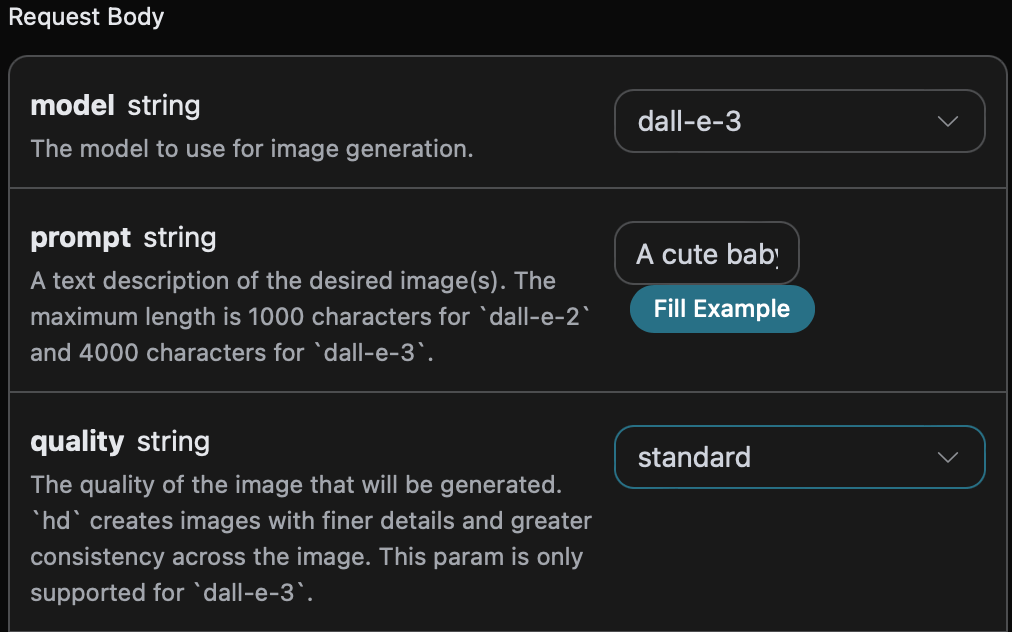
同時您可以注意到右側有對應的呼叫程式碼生成,您可以複製程式碼直接執行,也可以直接點擊「Try」按鈕進行測試。
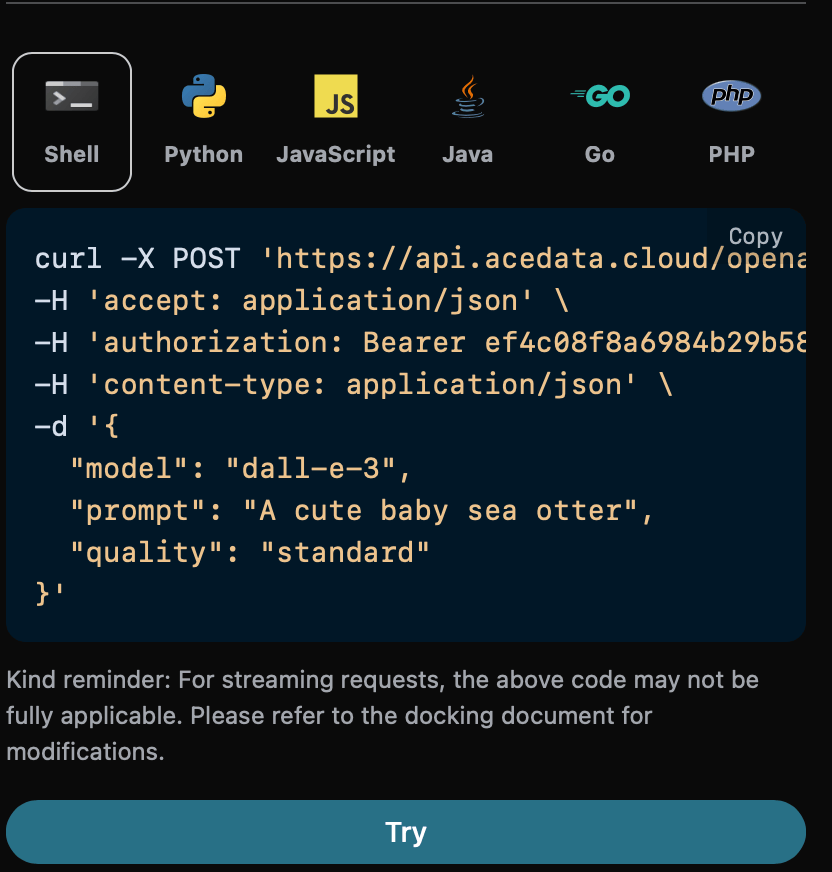
Python 範例呼叫程式碼:
```python theme={null}
import requests
url = "https://api.acedata.cloud/openai/images/generations"
headers = {
"accept": "application/json",
"authorization": "Bearer {token}",
"content-type": "application/json"
}
payload = {
"model": "dall-e-3",
"prompt": "A cute baby sea otter",
"quality": "standard"
}
response = requests.post(url, json=payload, headers=headers)
print(response.text)
```
呼叫之後,我們發現返回結果如下:
```json theme={null}
{
"created": 1721636023,
"data": [
{
"revised_prompt": "A cute baby sea otter is lying playfully on its back in the water, with its fur looking glossy and soft. One of its tiny paws is reaching out curiously, and it has an expression of pure joy and warmth on its face as it looks up to the sky. Its body is surrounded by bubbles from its playful twirling in the water. A gentle breeze is playing with its fur making it look more charming. The scene portrays the tranquility and charm of marine life.",
"url": "https://dalleprodsec.blob.core.windows.net/private/images/a93ee5e7-3abd-4923-8d79-dc9ef126da46/generated_00.png?se=2024-07-23T08%3A13%3A55Z&sig=wTXGYvUOwUIkaB2CxjK9ww%2FHjS8OwYUWcYInXYKwcAM%3D&ske=2024-07-23T11%3A32%3A05Z&skoid=e52d5ed7-0657-4f62-bc12-7e5dbb260a96&sks=b&skt=2024-07-16T11%3A32%3A05Z&sktid=33e01921-4d64-4f8c-a055-5bdaffd5e33d&skv=2020-10-02&sp=r&spr=https&sr=b&sv=2020-10-02"
}
]
}
```
返回的結果與基本使用的內容一致,可以看到圖片品質參數為 `standard` 的生成圖片如下圖所示:

與上述相同操作,僅需將圖片品質參數設定為 `hd` ,可以得到如下圖所示的圖片:

可以看到 `hd` 比 `standard` 生成的圖片具有更精細的細節和更大的一致性。
## 圖片大小尺寸參數 `size`
我們還可以設定生成圖片的尺寸大小,我們可以進行下面的設定。
下面設定圖片的尺寸大小為 `1024 * 1024` ,具體設定如下圖:
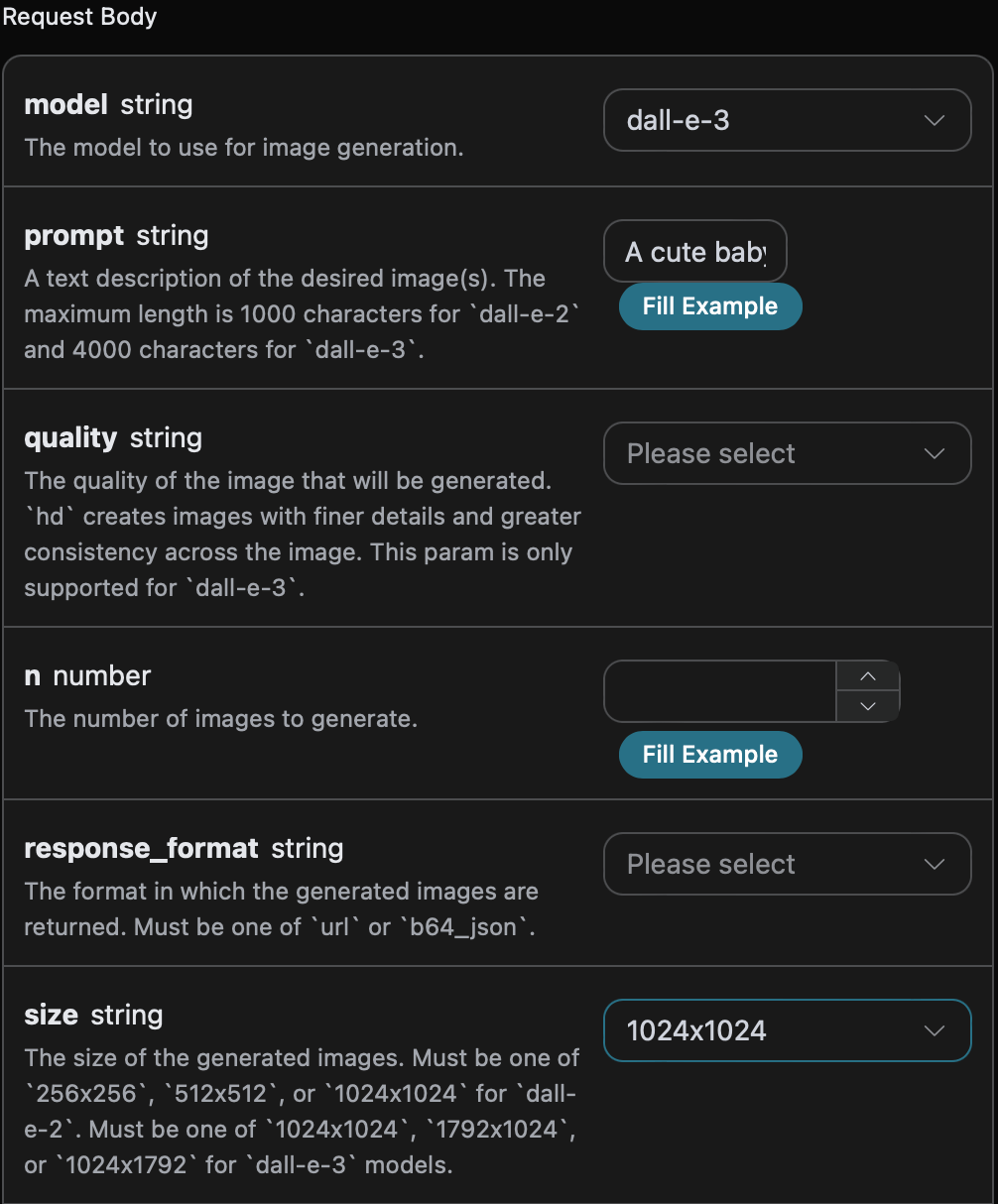
同時您可以注意到右側有對應的呼叫程式碼生成,您可以複製程式碼直接執行,也可以直接點擊「Try」按鈕進行測試。
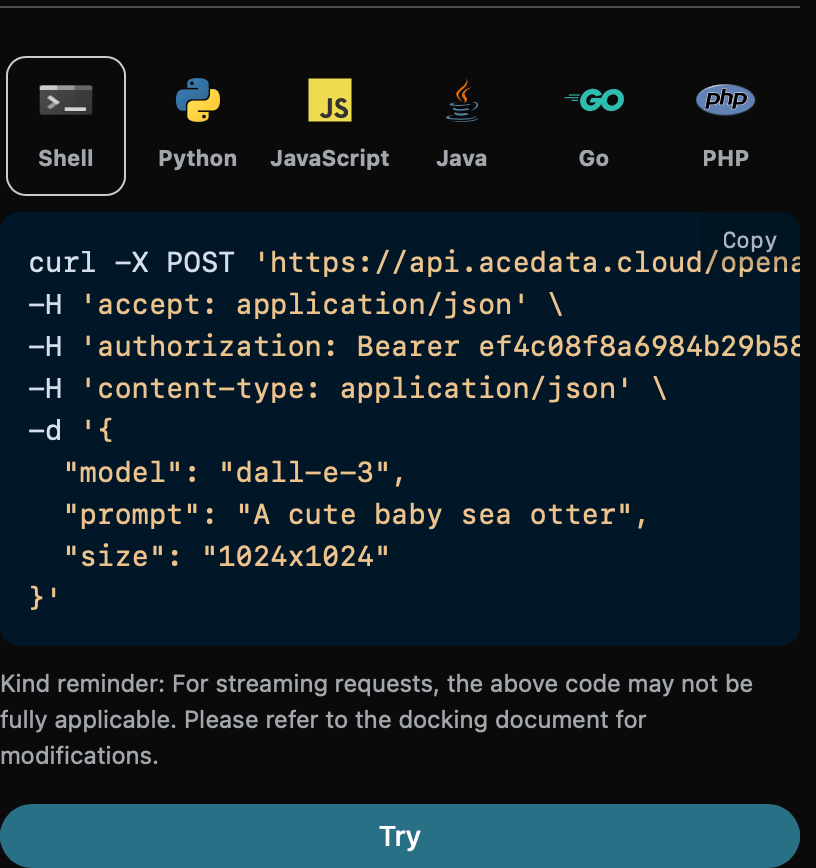
Python 範例呼叫程式碼:
```python theme={null}
import requests
url = "https://api.acedata.cloud/openai/images/generations"
headers = {
"accept": "application/json",
"authorization": "Bearer {token}",
"content-type": "application/json"
}
payload = {
"model": "dall-e-3",
"prompt": "A cute baby sea otter"
"size": "1024x1024"
}
response = requests.post(url, json=payload, headers=headers)
print(response.text)
```
呼叫之後,我們發現返回結果如下:
```json theme={null}
{
"created": 1721636652,
"data": [
{
"revised_prompt": "A delightful depiction of a baby sea otter. The small mammal is captured in its natural habitat in the ocean, floating on its back. It has thick brown fur that is sleek and wet from the sea water. Its eyes are closed
```